

Professional o Mixer 6 Channels Sound Mixing Console Bluetooth Mobile USB Record Computer Playback 48V Phantom Power Input o Mixer A6 Sound for a Wide Range of Uses (Color : A6) (A6 1pcs 3m)
Product details
| Management number | 218538284 | Release Date | 2026/05/03 | List Price | $100.48 | Model Number | 218538284 | ||
|---|---|---|---|---|---|---|---|---|---|
| Category | |||||||||
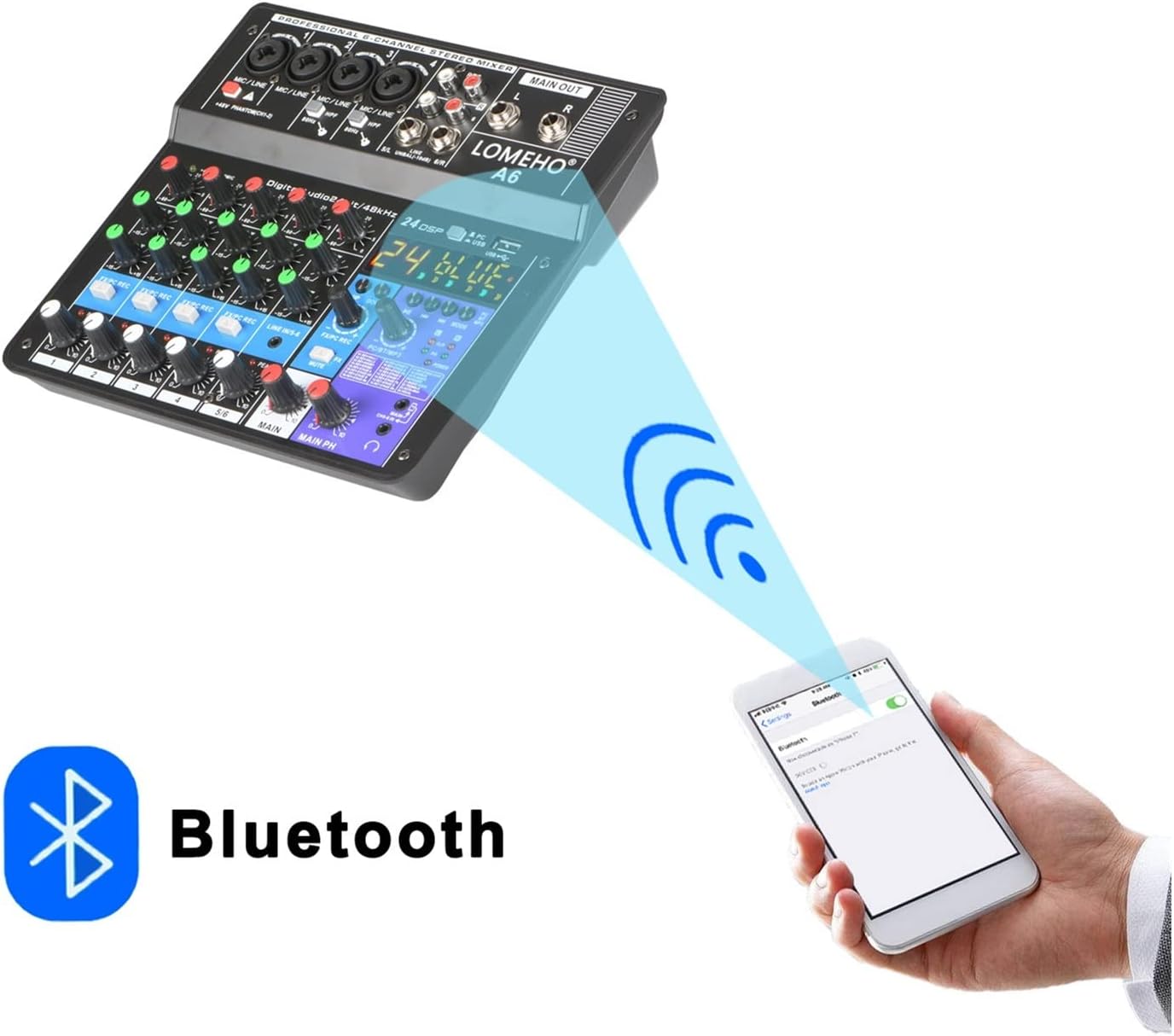
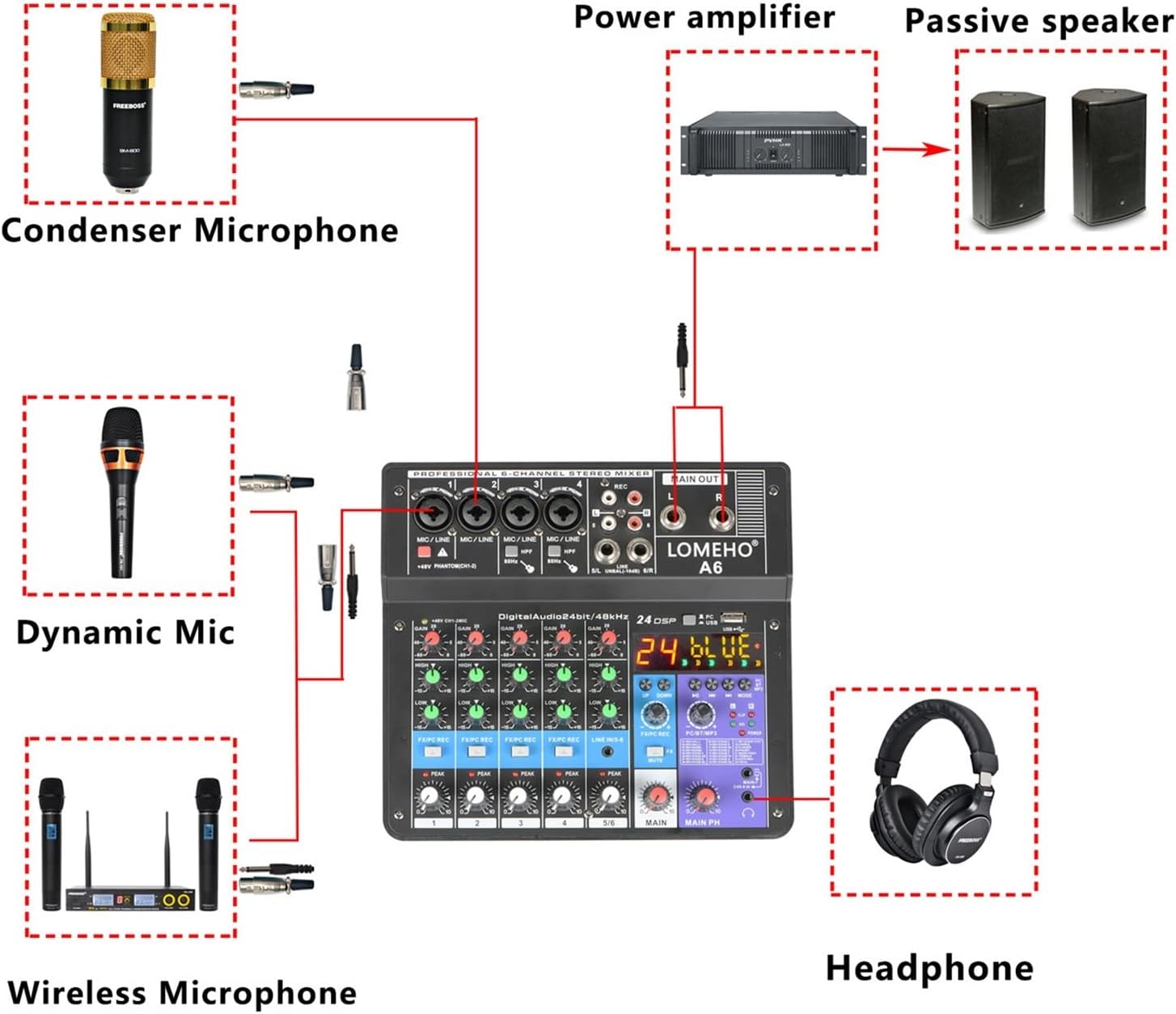
1.Power Supply A) Power adapter B) Computer supply power C) Power bank supply power 2) Power Supply Interfaces A) Micro B: Press down the button to choose Micro B interface. B) Type-B: Bounce up the button to choose Type-B interface Please Note: Micro B Interface: Only for power supply Type-B Interface: Power supply+Data transmission 3)USB Cable:1 Meter (3.3 in) 2.Effect Please Note: The 24th effect is vocal. It is no orignal voice, there is no effect. Adjustment of Effect 1) Adjust the effect volume output to channel: Rotate the "FX/PC REC" knob to increase or reduce the effect volume 2) Press down the "FX/PC REC" button to allow the effect input to channel. Bounce up the "FX/PC REC" button to cancel the effect input to channel. 3.Bluetooth 1) Waiting for Pairing: Press MODE to "BLUE", "BLUE" is flashing, and waiting for the pairing. 2) Bluetooth Connect: A) Open your mobile Bluetooth B) Choose "A6" C) Connected 3) Bluetooth Volume Control: A) Rotate the PC/BT/MP3 knob to increase or reduce the bluetooth volume B) Rotate the MAIN knob to increase or reduce the main out volume 4.USB Play: 1) USB Play Format: MP3, WAV,WMA,FLAC 2) USB Play: A) Insert usb stick B) Press to choose "USB" C) Press MODE to choose "USB" 3) MP3 Volume Control: A) Rotate the PC/BT/MP3 knob to increase or reduce the USB volume B) Rotate the MAIN knob to increase or reduce the main out volume 5.USB Recording 1) Prepare for The Record: A) Insert USB stick B) Press the button to USB status C) Press down channel "FX/PC REC" button D) Press MODE to choose "Blue" status 2) USB Record: A) Long press "PLAY/PAUSE" to record, there will be a "REC" mark when you are recording. B) Long press "PLAY/
- 1. 6 Channels ( 4 mono +1 stereo)
- 2. USB power supply: 5V DC
- 3. Bluetooth function
- 4. Sound card function (Computer playback) : Connect to Computer Via USB Cable
- 5. Mobile broadcast podcast function.USB Play and Record. 24 DSP Effects
| UPC | 730737968839 |
|---|---|
| Brand Name | HYUWANGYU |
| Unit Count | 1.0 Count |
| Manufacturer | HYUWANGYU |
| Manufacturer Part Number | zxc1/4182 |


Bestseller ranking
Washing Machine Cleaners






Customers who viewed this product also viewed
Powered Mixers


Correction of product information
If you notice any omissions or errors in the product information on this page, please use the correction request form below.
Correction Request Form